
A tab you can't put on a music stand is only half finished. TellMeScore prints clean, paginated A4 sheets straight from your browser — and because PDF export is built into every browser's print dialog, you get PDF files with no extra software.
Printing
- Click the Printbutton on the toolbar. Your browser's print dialog opens with the score laid out on A4 pages.
- Choose a printer — or choose Save as PDF as the destination to export a file instead.
Page breaks fall between systems (lines of music), never through the middle of one, so every page is readable on its own. The title, artist and other song metadata print at the top of the first page — edit them by clicking the title in the editor header.
Preview: see exactly what will print
The editor's normal view uses generous spacing that's comfortable to edit in, so its line breaks differ from the printed page. Toggle Previewon the toolbar to switch the score to print layout — same page width, same note spacing, same line breaks, with "Page N" guides at each page boundary. What you see in preview is what comes out of the printer.
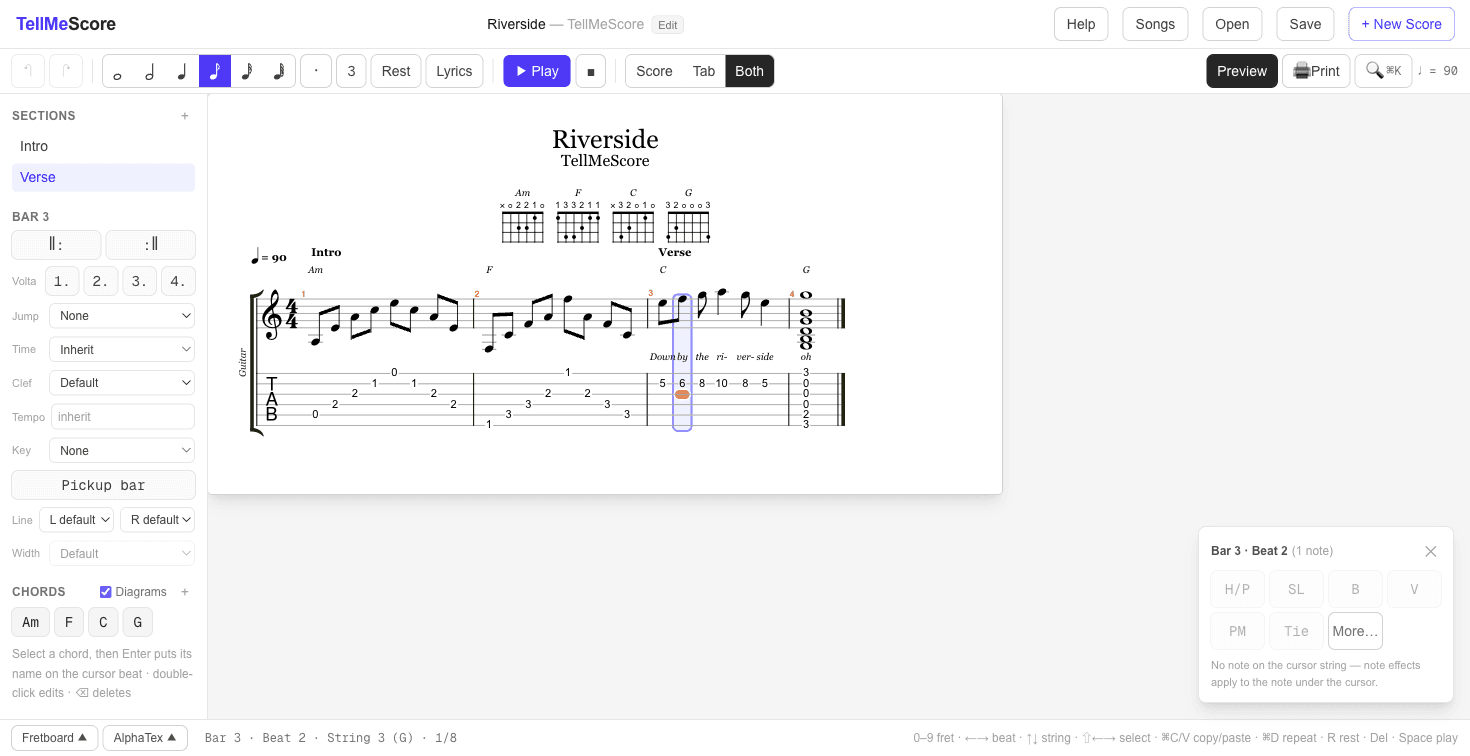
Controlling the layout
- Bars per line (song properties — click the title in the header): fix how many bars each system holds, instead of automatic wrapping.
- Bar width (sidebar, with Bars per line set): make an individual bar wider or narrower — handy when a dense bar needs breathing room.
Layout settings are saved with the song, so a .tmscore.json file opens with the same printed layout everywhere.
Tips for good-looking sheets
- Print in portrait orientation — the A4 layout is designed for it.
- In the print dialog, turn off headers/footers (the URL and date your browser adds) for a cleaner page.
- Use chord diagrams for song sheets, or hide them for solo transcriptions — the diagrams row prints exactly as shown on screen.
Related: saving & song files.